
Training Opportunities with ITS
University of Memphis
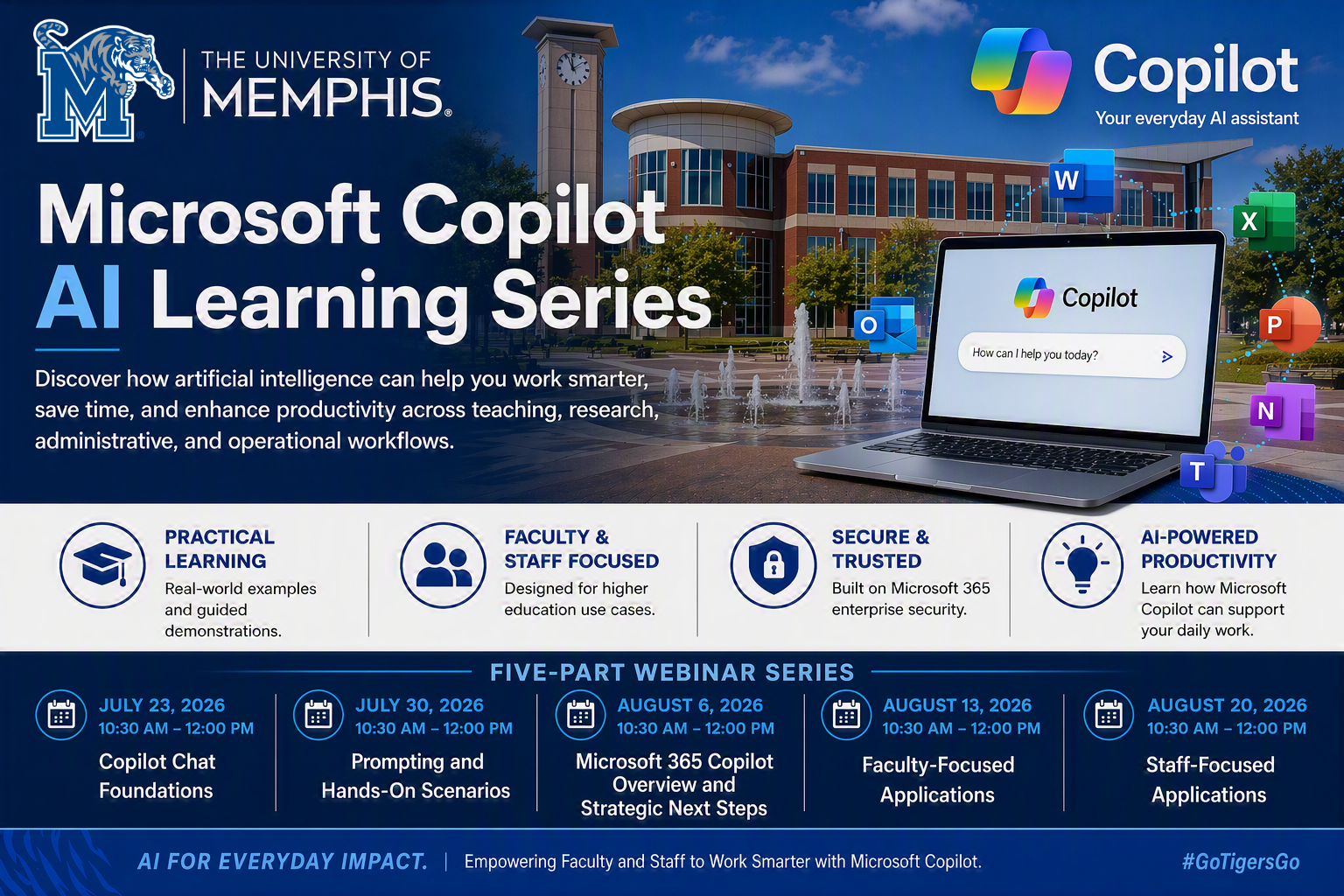
Copilot Learning Series
Join the University of Memphis Copilot Learning Series to discover how Microsoft Copilot can help you work more efficiently, communicate more effectively, and make better use of information across your daily responsibilities. This five-part series progresses from foundational concepts to practical applications, providing opportunities for faculty and staff to explore AI in a secure, university-supported environment. All sessions are open to anyone with a University of Memphis login. No previous AI experience is required.
Copilot Chat Foundations: Getting Started with Everyday AI
Focus on access, navigation, and basic usage across audiences.
Description:
New to Microsoft Copilot Chat? This introductory session will help you get started with confidence. Participants will learn how to access Copilot Chat, navigate the interface, understand data protection and privacy considerations, and use Copilot effectively for everyday tasks.
Whether you are a faculty member, staff member, or administrator, this session will provide a practical foundation for using AI to enhance productivity, streamline work, and explore new ways of accomplishing routine tasks.
Participants will learn to:
- Access and navigate Copilot Chat
- Understand available features and capabilities
- Create effective prompts for common tasks
- Summarize, organize, and refine information using AI
- Apply Copilot Chat responsibly within the University environment
From Questions to Results: Prompting and Hands-On Copilot Scenarios
Description:
Successful use of AI starts with asking the right questions. This interactive session
builds on the foundational concepts introduced in Session 1 and focuses on developing
effective prompting skills through practical examples and guided exercises.
Participants will explore real-world scenarios and learn techniques for improving Copilot responses, refining prompts, and using conversational AI to support problem-solving, communication, planning, and content creation.
Participants will learn to:
- Write clear and effective prompts
- Refine responses through follow-up conversations
- Use prompting frameworks to improve results
- Apply Copilot to common workplace and academic tasks
- Practice hands-on scenarios that can be adapted to daily work
Beyond Chat: Understanding Microsoft 365 Copilot and Planning Your Next Steps
Description:
Microsoft offers multiple Copilot experiences, and understanding the differences is
essential for maximizing value. This session provides an overview of Copilot Chat
and Microsoft 365 Copilot, including how licensed capabilities integrate with applications
such as Outlook, Word, PowerPoint, Teams, and Excel.
Participants will explore practical examples, discuss licensing considerations, and learn how to determine which Copilot features best align with their work. Attendees with a Microsoft 365 Copilot license will also have opportunities to participate in hands-on demonstrations and activities.
Participants will learn to:
- Understand the differences between Copilot Chat and Microsoft 365 Copilot
- Explore Copilot experiences across Microsoft 365 applications
- Identify use cases that benefit most from licensed capabilities
- Evaluate opportunities to enhance productivity and collaboration
- Develop a personal action plan for continued adoption
Teaching, Research, and Productivity: Copilot for Faculty
Description:
Designed specifically for University of Memphis faculty, this session explores how
Copilot can support teaching, research, course development, and academic productivity.
Through faculty-focused demonstrations and real-world examples, participants will
discover practical ways to save time, organize information, and enhance their workflow.
The session will be informed by use cases submitted by faculty across the institution to ensure the content reflects authentic instructional and research needs.
Topics may include:
- Developing course materials and instructional content
- Drafting announcements, communications, and feedback
- Brainstorming assignments and classroom activities
- Summarizing research materials and documents
- Managing academic projects and administrative responsibilities
Note: Faculty will have an opportunity to submit use cases and questions prior to the session to help shape the content.
Smarter Administrative Work: Copilot for Staff
Description:
This session is designed specifically for University of Memphis staff and focuses
on ways Copilot can support administrative, operational, and service-oriented work.
Participants will explore practical scenarios that help improve efficiency, communication,
organization, and decision-making across a variety of campus roles.
Examples and demonstrations will be tailored using use cases submitted by staff from departments across the University to ensure the session addresses real operational challenges and opportunities.
Topics may include:
- Drafting emails, reports, and communications
- Organizing projects, meetings, and action items
- Creating summaries from documents and notes
- Supporting customer service and campus engagement
- Streamlining repetitive administrative tasks
Note: Staff will have an opportunity to submit use cases and questions prior to the session to help guide the training content.