
Form Builder
LDP Form Assets are being deprecated in favor of a cloud-based solution called the Forms Module.
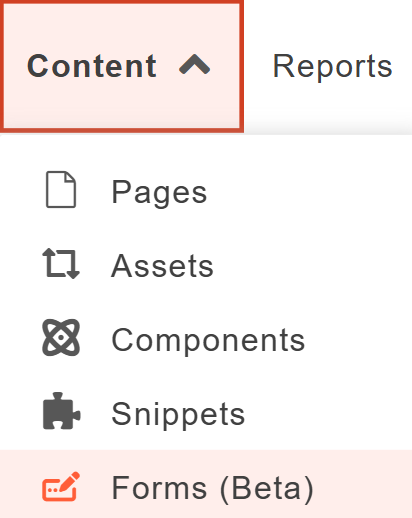
To create a form, first, navigate to the 'Content' section in the toolbar at the top of the screen. From the list of options, select 'Forms (Beta)'.
For further instructions on this Form Builder, please review Modern Campus' Support page for information on:
- Creating a New Form
- Previewing and Launching a Form
- Adding a Form to a Page
- Viewing Form Submissions
With the new Form Builder, forms are Launched instead of Published. Once you are done applying changes, select the blue 'Save' button to save your changes. Then select the green 'Launch' button to apply them.
What's New
The new Forms module introduces many new features. For a brief overview, please see the table below:
| Feature | Explanation |
|---|---|
| Embed Code | You can now generate an embed code for your form. This embed code can be used to add the form to sites not hosted within Modern Campus CMS |
| Increased File Upload Fields | You can now add up to five file upload fields to each form you create. |
| Sensitive Data Protection | Our policy does not support using Modern Campus Forms for sensitive data collection, however, the new Form Builder is setup to immediately redact any detected sensitive information. This will not be made available for viewing. |
| Submission Content |
With LDP Form Assets, form submission data could be included in e-mails. However, with the new Form Builder, this will no longer be supported due to security concerns. In order to view submissions from forms created using the new Form Builder, you will need to have an account in the CMS. Please reach out to our team for further guidance on CMS access. |
| Sender E-mail Address |
By default, all e-mails that are sent out will say that they are being sent from Modern
Campus. This cannot be changed. |