
Page Parameters
This section can be found under the 'Properties' section, and is only visible when you have the page checked in.
Title and Metadata
The settings found here control how search engines interact with your content. This section is the same across all templates (including the templates specific to News, Programs and Faculty & Staff)
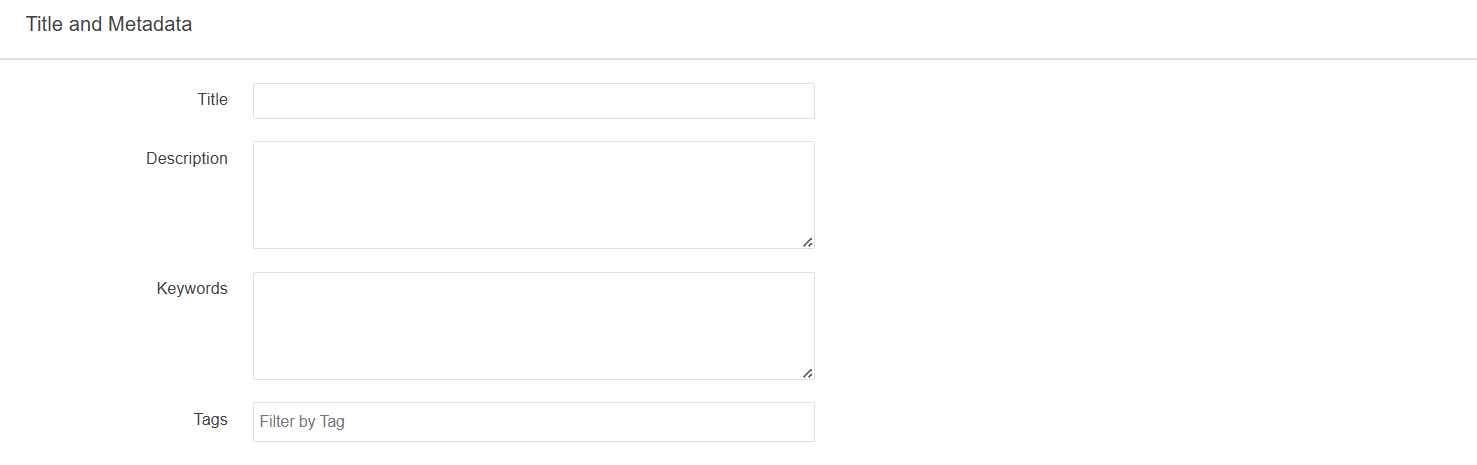
Title: The page's title will display in your browser's tab and in search results.
Description: The page's meta description. This will display just below the page's title in search results.
Keywords: The page's meta tags. These are the keywords site visitors can use to more easily find while searching for your content.
Tags: The page's tags. For page listings, these can be used to filter results based on tags added to a given page.
Custom Settings
The Custom Settings section is largely the same for most of the new templates. This section controls things like the hero image/video, navigation titles, page title, page headings, page titles and breadcrumb.
Colleges and School

Banner Content: This setting disables/enables the hero image/video for the Colleges and Schools template
Interior, Info For & New Students Templates
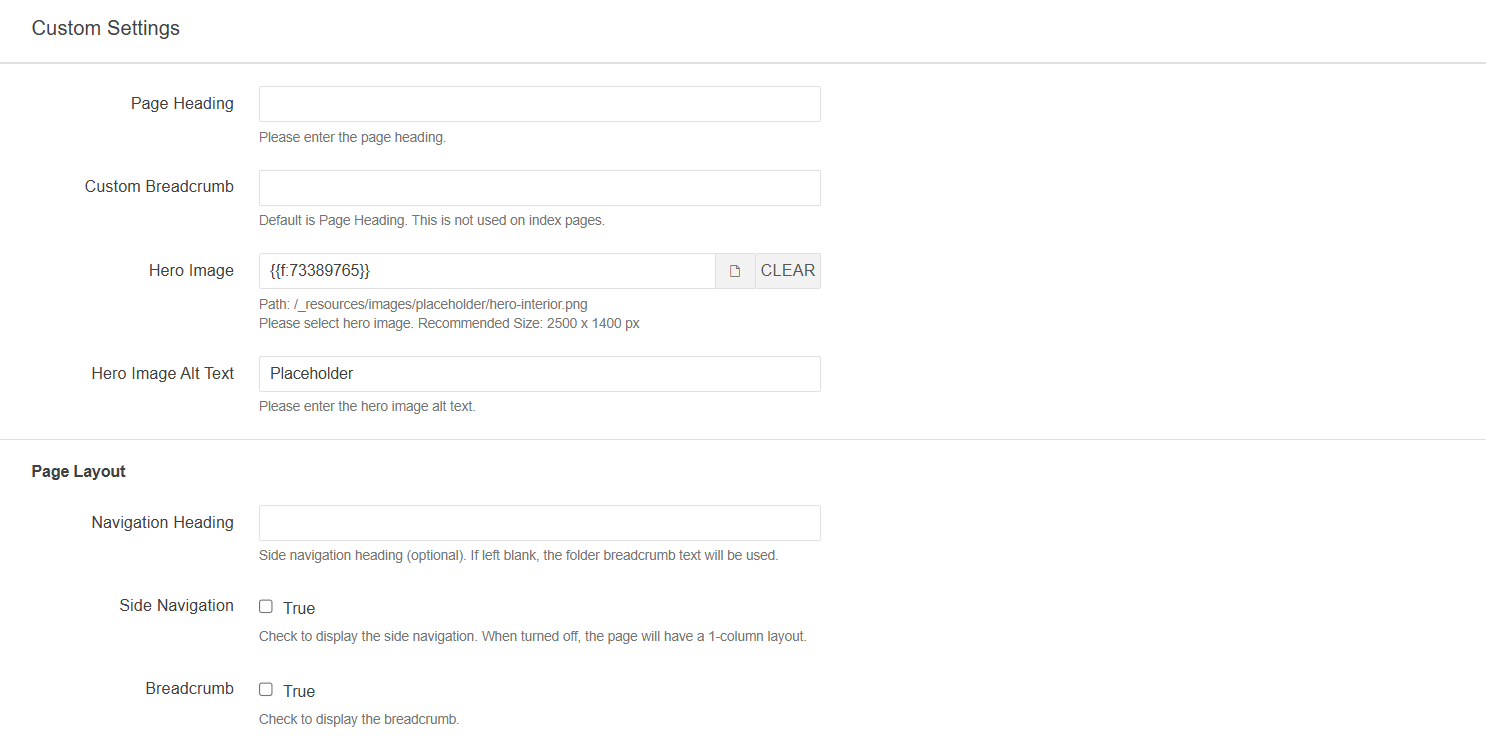
Page Heading: The H1 Heading that displays in the body of the page.
Custom Breadcrumb: By default, the breadcrumb text for individual pages is the Page Heading. However, you have the option of changing this here. This field does not apply to index pages.
Hero Image: The hero image for the page.
Hero Image Alt Text: The alt text for the hero image.
Navigation Heading: The title of the side navigation.
Side Navigation: This setting either enables the side navigation or disables it.
Breadcrumb: In the new design, you have the option of hiding the breadcrumb on any given page.
Any changes made under Page Parameters are specific to the page that is being edited.
For example, updating the Navigation Heading will not apply this change to any of
the Navigation Headings on other pages in the same folder.
Most of these settings can be controlled globally via Breadcrumb Settings [Limited to Level 8 or higher].
Note, that any changes made here override changes applied in Breadcrumb Settings
Programs, News, Faculty & Staff
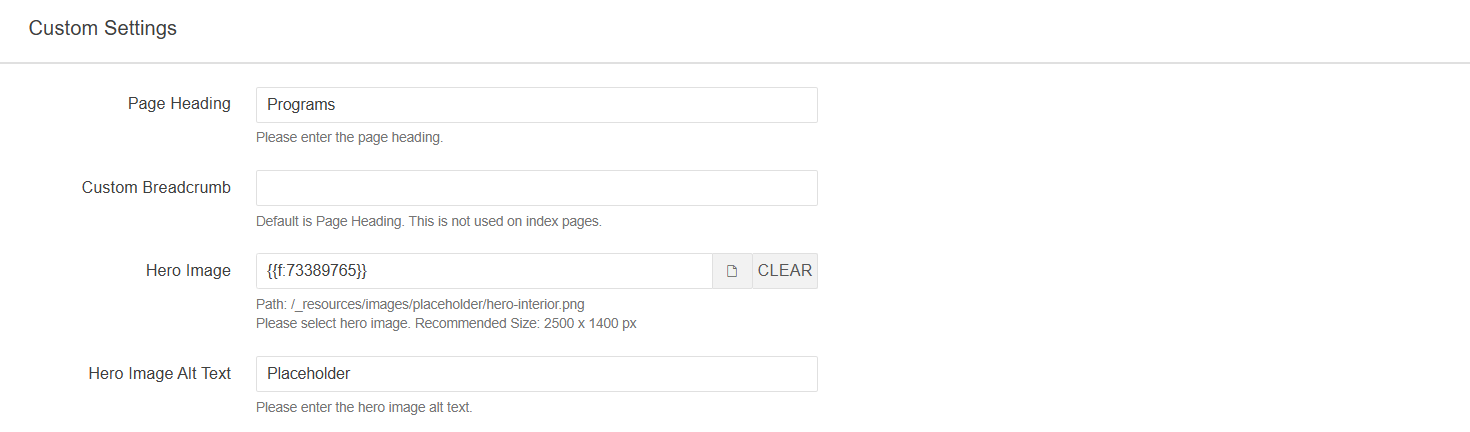
Page Heading: The H1 Heading that displays in the body of the page.
Custom Breadcrumb: By default, the breadcrumb text for individual pages is the Page Heading. However, you have the option of changing this here. This field does not apply to index pages.
Hero Image: The hero image for the page.
Hero Image Alt Text: The alt text for the hero image.
Any changes made under Page Parameters are specific to the page that is being edited.
Breadcrumbs can be controlled globally via Breadcrumb Settings [Limited to Level 8 or higher]. Any changes made here override changes applied in
Breadcrumb Settings
News Homepage
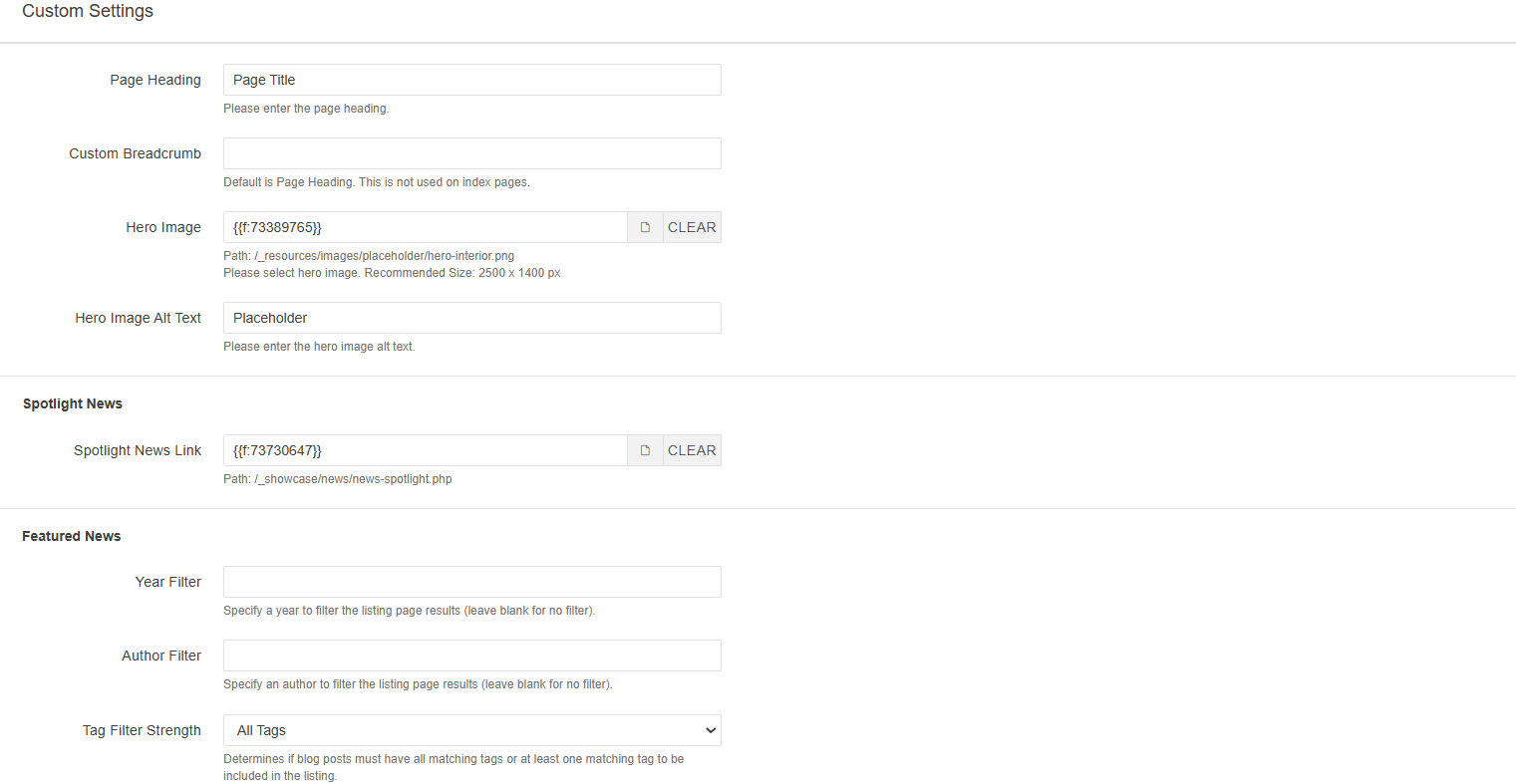
Page Heading: The H1 Heading that displays in the body of the page.
Custom Breadcrumb: By default, the breadcrumb text for individual pages is the Page Heading. However, you have the option of changing this here. This field does not apply to index pages.
Hero Image: The hero image for the page.
Hero Image Alt Text: The alt text for the hero image.
Spotlight News
Spotlight News Link: The link to the news article you want to be higlighted on the News Homepage. This article will appear in the left column of the Spotlight section and appear bigger than the other articles included in this section of the page.
Featured News
Year Filter: This field allows you to filter the news articles under the Featured News section by year.
Author Filter: This field allows you to filter the news articles under the Featured News section by the Author's Name. You must enter the name as it appears under the Multi-edit section of the News Article page for this setting to apply correctly.
Tag Filter: This field allows you to filter the news articles under the Featured News section by tag. The articles must either have all matching tags or match at least one tag.
Any changes made under Page Parameters are specific to the page that is being edited.
Breadcrumbs can be controlled globally via Breadcrumb Settings [Limited to Level 8 or higher]. Any changes made here override changes applied in
Breadcrumb Settings