Everbridge 360
Everbridge 360: University's Alert System
The University of Memphis wants to make sure you know about emergencies and incidents as they happen. UofM Alert powered by Everbridge 360 is used to make sure you know about issues that may affect your safety. This system allows the UofM to contact thousands of campus community members in seconds so you can find out about an emergency right away.
Update Contact Information Here-Membership Portal
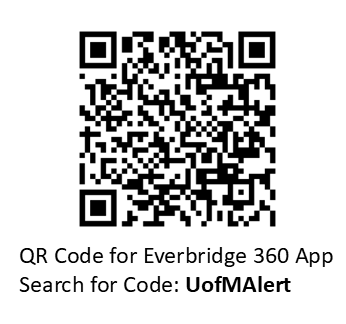
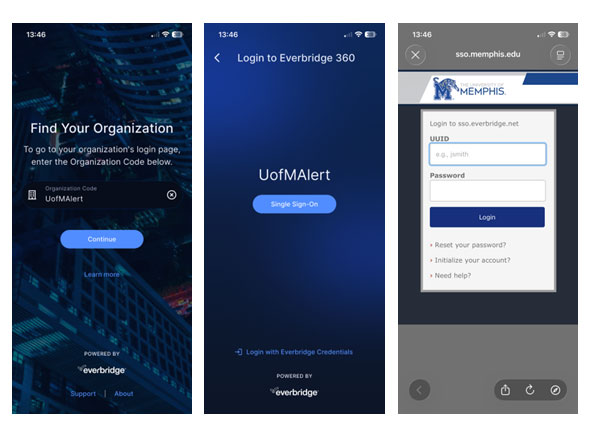
All active University faculty, staff and students should receive notifications via University email from Everbridge 360 without signing up or downloading the Everbridge 360 app, however, YOU are in control of the way you receive your information. We STRONGLY recommend that everyone check and make sure your preferred phone numbers and email addresses are correct by logging in from a web browser here. Downloading the Everbridge 360 app will allow you to receive push notifications to your smartphone. Application may be downloaded via Apps on Google Play for Android or the App Store for Apple. Please email everbridge@memphis.edu if you have any questions.
How Everbridge 360 Helps Keep You Safe
SOS Emergency Button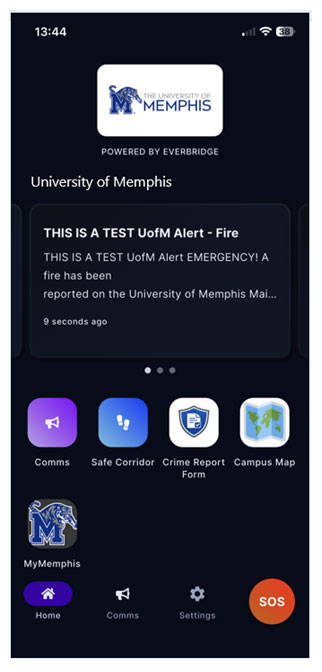
- Instantly alerts campus police and shares your location
Safe Corridor
- Set a timer while walking; if you don’t check in, an alert is triggered
Comms Button
- Shows all Emergency Alerts sent by the University
Crime Report Form
- Allows Students to submit crime reports directly to UofM Police Services
Campus Map
- Links to an up-to-date Campus Map
MyMemphis Button
- Links to MyMemphis login
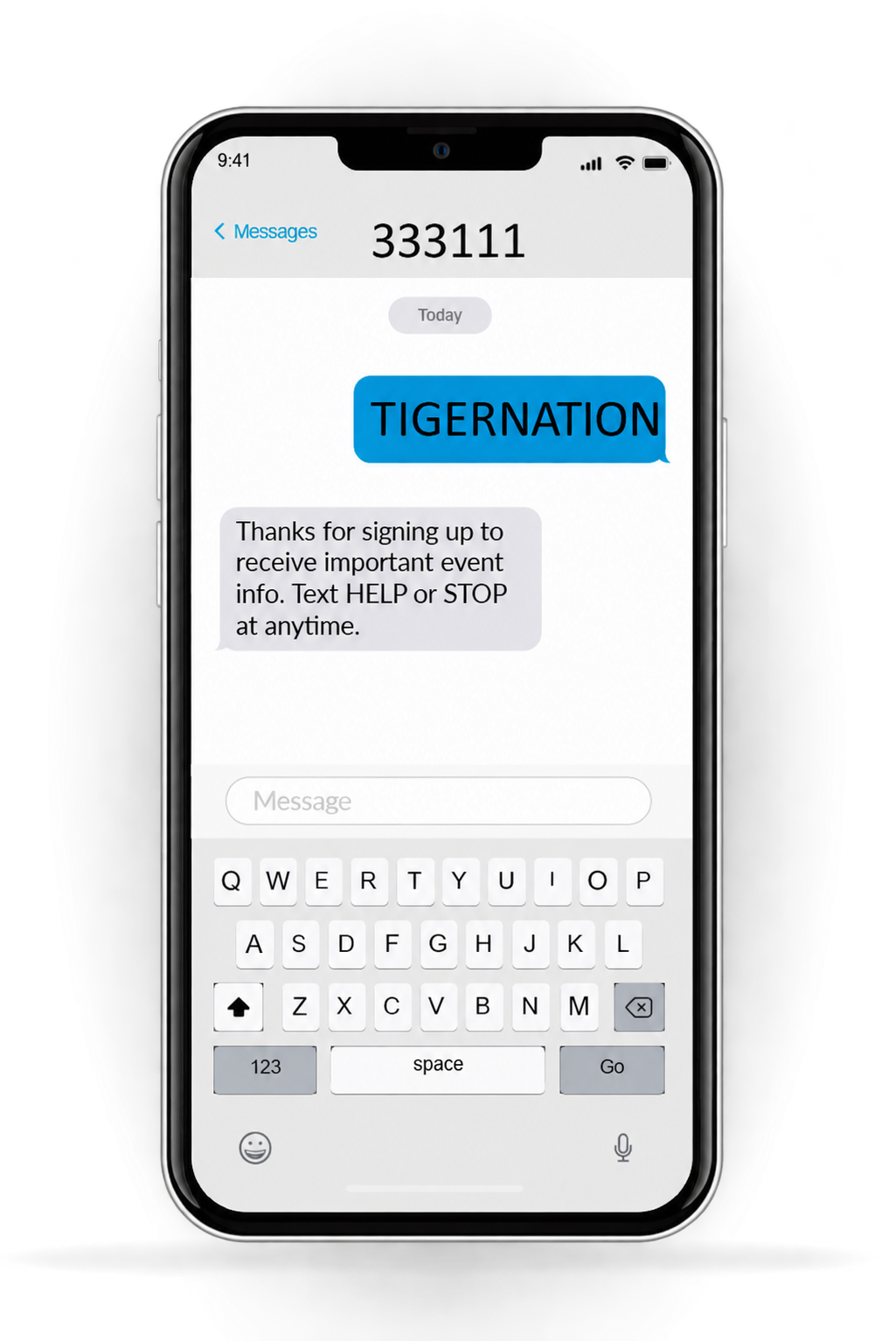
COMMUNITY ALERT: If you are not a UofM student or employee and would like to receive UofM ALERT notifications,
you can subscribe by texting TIGERNATION to 333111.