Thesis/Dissertation Preparation Guide - Electronic Method
This guide is updated regularly. Please check back frequently.
Last revised: October 2025
1. INTRODUCTION
This preparation guide specifies Graduate School requirements pertaining to style,
organization, and formatting for electronic theses and dissertations. Students should
become familiar with this guide at the time they begin the first draft of their thesis
or dissertation.
Students are encouraged to use publications within their discipline (i.e., refereed
journals) for help with formatting author reference citations, setting up bibliographic
form and content, tables and figures, the use of numbers and mathematical equations,
etc. In addition, academic departments may have additional formatting requirements
or may require use of a specific style manual other than a refereed journal. Students
using Graduate School style are encouraged to refer to recently submitted examples
(i.e., within the previous two years) in the university's electronic thesis and dissertation
repository at https://umwa.memphis.edu/etd/.
Click here to see a list of editors who can assist you. These editors are not affiliated with
the University of Memphis.
Requirements set forth in this guide take precedence over certain requirements in
style manuals or refereed journals.
2. POLICIES
2.1 Enrollment
Late stage students should enroll in one dissertation hour and continue to do so until
they have met all degree requirements. If students have taken the required number
of dissertation hours and have not finished and successfully defended their disseration,
they may be allowed to continue to enroll in dissertation hours with an approved completion
plan. Students must be enrolled in the semester in which they defend their dissertation.
Students planning to defend during the summer semester must also be enrolled in thesis
or dissertation credit. In case of serious medical circumstances, students may request
a leave of absence, subject to the approval of the program graduate studies coordinator
and department/unit chair/director.
2.2 Thesis/Dissertation Faculty Committees
Before undertaking any work on your thesis/dissertation, a graduate faculty committee
must be formed, and the Graduate School must be notified of this committee using the
appropriate form.
The student will select a dissertation committee (minimum of three members) made up
of graduate faculty approved by the head of the academic unit and/or the college director.
The chair of the dissertation committee must hold full graduate faculty status. Only
one external graduate faculty member may serve as a voting member of a dissertation
committee and the external does not count toward the three-member minimum. “External”
refers to graduate faculty status given to faculty who are not faculty of the University
of Memphis.
Students should consult with their department if they wish to have University of Memphis
faculty outside of their department serve on their dissertation committee.
NOTE: The Thesis/Dissertation Faculty Committee form must be submitted to the Graduate
School at the time of formation and not at the time your thesis/dissertation is submitted
for the review process.
It will be the student's responsibility to ensure that all committee members are current
members of the graduate faculty. Students should not defend their final document until all faculty members, whether
on campus or outside the university, have been granted graduate faculty status (Click here for a current listing of all graduate faculty members).
The University of Memphis maintains three levels of graduate faculty: full, associate,
and external. /gradschool/resources/gradfac_guidelines.php
- Only full graduate faculty members may chair doctoral committees. Full or associate
graduate faculty may chair master's committees.
- Associate members may direct theses in a department/school other than their own at
the discretion of the graduate coordinator and/or the chair of that department.
- External faculty may be members of doctoral and master's committees in their areas
of expertise but may not serve as chair.
- No more than one external graduate faculty member may serve as a voting member of
a student's committee.
2.3 Institutional Review Board
2.3.1 Human Subjects
All University of Memphis faculty, staff, or students who propose to engage in any
research activity involving the use of human subjects must have prior approval from
the Institutional Review Board (IRB). The IRB is responsible for safeguarding rights
and welfare of all persons participating in research projects, whether funded or non-funded.
Human subjects means a living individual about whom an investigator (whether a professional
in the field or a student) conducting research obtains (1) data through intervention
or interaction with the individual or (2) identifiable private information. Research
means a systematic investigation, including research development, testing, and evaluation,
designed to develop or contribute to generalized knowledge.
Students who fail to comply with University policy may jeopardize the awarding of
the degree they seek.
The appropriate IRB or IACUC approval form must accompany an approved Thesis/Dissertation
Proposal form. In addition, a copy of the IRB or IACUC approval form and examples
of informed consent forms must be submitted with your thesis or dissertation. For
further information, contact the IRB coordinator in the Office of Research Support
Services at 901.678.2533.
2.3.2 Vertebrate Animals
All uses of vertebrate animals must receive prior approval from the Institutional
Animal Care and Use Committee (IACUC).
2.3.4 Biohazards
Research involving recombinant DNA, radioisotopes, or other hazardous material must
receive prior approval by the Institutional Biosafety Committee.
2.4 Use of Copyright Materials
Excerpts to be reprinted from other sources, such as maps, figures, tables, or text,
must meet the same paper and margin requirements for the thesis or dissertation. Students
must obtain permission from the author or publisher of copyrighted materials used
beyond the limits of the "Fair Use" doctrine. The general fair use practice states
that quotations of a brief prose passage or several lines of verse do not require
permission. However, fair use nowhere is spelled out exactly. Check the U.S. Copyright
Office for further information. In any case, the student must quote accurately and
credit the source. An explanation of copyright law and fair use, along with a guide
to obtaining written permission from copyright owners, may be found in The Chicago
Manual of Style, 16th ed. Chicago: The University of Chicago Press.
For doctoral dissertations, University Microfilms International (ProQuest) requires
the author to sign a certificate that use of copyrighted material beyond brief excerpts
has the written permission of copyright owners and that the student is responsible
for any copyright violations. A copy of all letters of permission for use of copyrighted
materials must be submitted along with the microfilming/copyright agreement form (which
will be given to the student AFTER the defended, corrected copy has been reviewed by the Graduate School).
Master's students may write to the Information Section, U.S. Copyright Office, Library
of Congress, Washington, DC 20559 to request forms. Telephone: (202) 707-3000 or the
forms may be downloaded and printed for use in registering or renewing a claim to
copyright. The forms and the information may also be accessed and downloaded through
the Copyright Office web site.
2.5 Plagiarism
The term plagiarism includes, but is not limited to, the use, by paraphrase or direct
quotation, of the published or unpublished work of another person without full or
clear acknowledgment. It also includes the unacknowledged use of materials prepared
by another person or agency engaged in the selling of term papers or other academic
materials. Published or unpublished work might include art, graphics, computer programs,
raw data, web sites, music and any other type of creative expression. The most obvious
form of plagiarism is copying word-for-word without enclosing the copied work in quotation
marks and without citing the original source in the text. For University of Memphis's
plagiarism policy, visit Office of Student Accountability
2.5.1 Guidelines for Avoiding Plagiarism
- Use Your Own Words and Ideas.
- Give Credit for Copied, Adapted, or Paraphrased Material. If you repeat another author's
exact words, you MUST use quotation marks AND cite the source. If you adapt a chart
or paraphrase a sentence, you must still cite the source. Paraphrase means that you
restate the author's ideas, meaning, and information in your own words.
- Avoid Using Others' Work with Minor Cosmetic Changes. Examples: using "less" for "fewer",
reversing the order of a sentence, changing terms in a computer code, or altering
a spreadsheet layout. If the work is essentially the same, you must give credit.
- There Are No Freebies. ALWAYS cite words, information, and ideas you use if they are
new to you (learned in your research). No matter where you find it--even in an encyclopedia
or on the Internet -- you must cite it. Beware of Common Knowledge. You don't have
to cite "common knowledge," but the fact must be commonly known.
- Source: Student Judicial Affairs, October 1999-2001. The University of California,
Davis.
3. REFERENCE GUIDE FOR FORMATTING
Students are encouraged to refer to recently submitted theses or dissertations (i.e.,
within the previous two years) in the university's Electronic Thesis and Dissertation
repository at: https://umwa.memphis.edu/etd/
In cases where a journal-ready style is not employed, or formal style guide is not
used, the standard Graduate School style (below) should be used.
Click on the "Search Submission" tab to find all electronic submissions.
3.1 Font Type and Size
- Times New Roman (Including page numbers and footnote numbers) is preferred.
- 12-point font size, but a smaller type size may be used if student's committee members
agree to this.
- Specialized fonts appropriate for typesetting needs (such as formulas and equations
in Mathematical Sciences and other departments) may be used if approved by student's
committee
3.2 Margins
- 1.0" top, right, left and bottom
- A 1.50" left margin may be used only if a student wishes to produce bound copies for
their advisor, department, etc.
3.3 Justification and Hyphenation
- Align all text with the left-hand margin, except centered headings, paragraph indentations
(at least 5 spaces required, although most styles require 10 spaces or .5" indentations
for paragraphs), or block quotations (indent 5 spaces only, not 10).
- Full justification of margins is NOT acceptable; the right-hand margin must be jagged.
- Hyphenation at the right-hand margin is allowed as long as it does not cause difficulty
in reading.
3.4 Spacing
- Double space all text unless your department specifies otherwise, or if stated differently
in a particular style guide or refereed journal. This requirement includes only one
double spaced line between all paragraphs, not triple.
- Double space between all paragraphs within centered/and or subheadings.
- Double space before or after tables, figures, or equations. Single spacing may be
used for quotations, footnotes, tables, and references. Individual references should
have at least one space between them.
- Double space before and after all tables and figures within the text.
- Single space footnote entries, but double space between each separate entry.
- Single space bibliography/references/works cited entries, but double space between
each separate entry.
3.5 Page Numbers
- All page numbers should stand alone without any form of punctuation and should be
1/2" from the bottom of a page. The last line of text must be 1" from the bottom.
- There MUST be no page number displayed on the document title page.
- Preliminary pages, such as the Copyright, Dedication, Acknowledgement, Abstract, Preface,
Table of Contents, List of Tables, List of Figures, or List of Abbreviations, etc.
must be numbered in lowercase (small) Roman numerals beginning with "ii" and MUST
be centered on the page.
- Pages in the body of text must be numbered using Arabic numerals beginning with "1"
and must also be centered at the bottom of each page.
3.5.1 Pagination and Sequencing Table
Pages must appear in the following order:
|
Page Order
|
Pagination
|
Page Number
Placement
|
Listed in
Table of Contents
|
|
Preliminary Pages
|
Small Roman Numerals
|
Location
|
Yes/No
|
|
Title Page
|
Count/Do not Number
|
None
|
No
|
|
Copyright Notice (optional)
|
Count/Number
|
Center Bottom
|
No
|
|
Dedication (optional)
|
Count/Number
|
Center Bottom
|
No
|
|
Acknowledgments (optional)
|
Count/Number
|
Center Bottom
|
No
|
|
Preface (optional)
|
Count/Number
|
Center Bottom
|
No
|
|
Abstract
|
Count/Number
|
Center Bottom
|
No
|
|
Table of Contents
|
Count/Number
|
Center Bottom
|
No
|
|
List of Tables (for 5 or more only)
|
Count/Number
|
Center Bottom
|
Yes
|
|
List of Figures (for 5 or more only)
|
Count/Number
|
Center Bottom
|
Yes
|
|
Key to Symbols or Abbreviations (optional)
|
Count/Number
|
Center Bottom
|
Yes
|
|
Text
|
Arabic Numbers Starting at 1
|
Location
|
Yes/No
|
|
Introduction
|
Count/Number
|
Center Bottom
|
Yes
|
|
Thesis or Dissertation Text
|
Count/Number
|
Center Bottom
|
Yes
|
|
Summary or Conclusions
|
Count/Number
|
Center Bottom
|
Yes
|
|
Recommendations
|
Count/Number
|
Center Bottom
|
Yes
|
|
Reference Pages
|
|
Location
|
Yes/No
|
|
Glossary (optional)
|
Count/Number
|
Center Bottom
|
Yes
|
|
Bibliography/References
|
Count/Number
|
Center Bottom
|
Yes
|
|
Appendix or Appendices
|
Count/Number
|
Center Bottom
|
Yes
|
3.6 Subheadings
- Placement of chapters and/or section heads should be consistent throughout the entire
document.
- Preliminary page titles (i.e., Abstract, Table of Contents, etc.) should each be treated
as chapter titles in terms of formatting.
- Do NOT begin any subheading or other divisions on separate pages.
- If a subheading falls at the end of a page without any accompanying text, move it
to the top of the next page.
- Do NOT include any extra lines between section heads, unless otherwise specified by your
department or by a refereed journal.
- Do NOT use a numbering system for title and subheadings (e.g., 1.1, 1.1.1) unless required
by style manual, refereed journal or approved by student's committee. If they are
numbered, please send justification with review copy.
3.7 Running Headers, Footnotes, and Endnotes
- Running headers and endnotes are NOT allowed.
- If footnotes are used, they must conform to margin requirements. They must also begin
on the page they are cited.
- Footnotes must be in size 10 font (whereas all other text must be size 12) unless
specified required differently by student's committee.
- Single space each footnote entry and double space between each separate entry.
- Footnotes are NOT to be numbered consecutively throughout the text. At the beginning of each new chapter,
begin each footnote number with the Arabic number "1."
ADA compliance: What is it and why is it important?
4. PRELIMINARY PAGES & MATERIALS
4.1 Final Committee Approval Form for Electronic Thesis/Dissertation Submission
The Final Committee Approval Form for Electronic Thesis/Dissertation Submission serves as the official approval page for an electronic thesis or dissertation. This
form must have original signatures of all committee members and must be submitted
to the Graduate School with the defended and corrected document for review. Please
do NOT submit this form to the Graduate School prior to review copy submission. The approval
form must also not be included in the electronic submission document.
4.2 Checklist for Submission of Defended and Corrected Thesis/Dissertation
This Thesis/Dissertation Checklist must accompany all defended and corrected theses or dissertations submitted for review.
4.3 Title Page
The title page must exactly match the wording, spacing, and formatting of this example title page.
4.4 Copyright Page (optional)
The copyright page (if included) must exactly match the wording, spacing, and formatting
of this example copyright page.
4.5 Preface
- If a Preface is included in your document, it should contain a brief statement of
the scope or purpose in writing the paper. It may also explain the author's choice
of subject and his/her belief in its importance.
- The Preface must not contain any material covered elsewhere in the paper, in the Abstract,
the Introduction, or the Summary and Conclusions.
- If articles submitted for publication are used as sections or chapters in your manuscript,
the Preface should specify which journal(s) each section or chapter have been submitted
to or accepted for publication.
4.6 Abstract Page
- The abstract should be the last part to be written. It must show the reader both the
context and content of the work and must include the purpose of the work, including
any hypothesis to be tested or major question asked; the approach used; the main findings;
and the conclusions.
- The abstract must NOT include internal headings or author citations.
- Mathematical formulas, diagrams, and other illustrative materials must be avoided
at all costs.
- If using journal articles as chapters, do NOT include additional abstracts or other information that the journal might require.
- Abstracts are to be no longer than 350 word count.
4.7 Table of Contents
The Table of Contents formatting must match the example table of contents.
- The Table of Contents must reflect the outline and organization of the thesis or dissertation.
- Headings included in the Table of Contents must be worded exactly as stated in your
document.
- Page numbers in the Table of Contents must correspond to the page numbers in the document.
- Single space within each chapter listing, but double space between chapters.
- If you have a list of tables, list of figures, and/or list of abbreviations, these
pages should be listed on your table of contents page.
4.8 List of Tables (Required for 5 or more)
The List of Tables page must exactly match the wording, spacing, and formatting of
the example list of tables page.
4.9 List of Figures (Required for 5 or more)
- A separate page (inserted after the List of Tables) must be titled "List of Figures."
- All other requirements for the List of Figures is the same as the List of Tables.
4.10 Copyright Permission Letter
This must be included if any materials in the paper are under copyright and extend
beyond the Fair Use Policy.
5. MANUSCRIPT TEXT
5.1 Main Body
If appropriate to your discipline, the following format should be used; otherwise,
adhere to the guidelines in the style manual or journal preferred by your department.
- Introduction. The introduction should contain a clear statement of the purpose or hypothesis to
be tested, an overview of the problem or subject as it is known from the literature,
and a broad statement summarizing the findings.
- Literature review. The literature review should be a comprehensive discussion. It should provide a unique
and valuable reference resource for other scholars in your field.
- Statement of research objectives (if not explicitly stated in the introduction). This statement should consist of
specific objectives to be addressed by the research published in the thesis or dissertation.
- Body of the work (methods and materials, results, and discussion in scientific disciplines).
- Overall conclusion (if not explicitly stated in the discussion). The discussion or last chapter or section
should be followed by an overall conclusion. This section should include a brief restatement
of your conclusions presented in the body of the text.
- Bibliography or References section. The bibliography or reference section should appear in one location at the end of
the thesis or dissertation BEFORE any appendices (unless specified differently in
a scientific discipline) and should include ALL cited references. Citations should
be listed alphabetically and should conform to a single format that is accepted as
standard within your discipline. Try to avoid breaking bibliographic entries onto
a following page. All sources that are cited in the body of the text should appear
in the references/bibliography, and all sources that are cited in the references/bibliography
must also be cited in text. Separate references/bibliographies for each chapter are
NOT acceptable, unless your manuscript consists of articles submitted or accepted
for publication.
- Appendices (if needed). The majority of the materials included should represent the work of
the student. The format may include individual tables and/or figures with legends,
text alone, or whole chapters. The same format rules that apply to the text of the
thesis or dissertation must also apply to all appendices. References included in the
appendices must be included in the comprehensive bibliography or reference section.
5.2 Using Journal Articles as Chapters or Sections
- In some departments, the document may include, as chapters, articles that have been
published or have been submitted to journals for publication. A thesis may include
one or more articles; a dissertation may include two or more. The articles must be
based on research completed by the student as part of their current graduate program.
- The student MUST be the primary author of each article submitted unless the student’s
major advisor is the primary author, in which case the student must be the secondary
author. If the student is not the sole author, a brief explanatory statement must
be included at the beginning of the article detailing the student’s contribution to
both the research and the writing of the work and clarifying the role of each co-author.
It is up to the Dissertation Committee to determine if the student’s contributions
to each article represents independent work suitable for inclusion in a thesis or
dissertation.
- Individual manuscripts serving as chapters may not all have the same internal structure.
Instead, each chapter should be presented in the style appropriate to the refereed
journal.
- A Preface MUST be included in your manuscript and must state the name of the journal(s)
to which the articles have been accepted or have been submitted for publication. The
preface should also indicate which chapter each article is now listed as in the Table
of Contents.
- The document must include a chapter introducing the research and a concluding chapter
that ties the results together. Do NOT include the preliminary material (such as title
page, abstract, authors' contact information, running heads, etc.) required by the
journal. The Graduate School's requirements for margins, figures, tables, and other
items covered in this guide will still apply and take precedence over the journal's
guidelines.
- The Introduction should contain a clear statement of the purpose or hypothesis to
be tested and a brief overview of the problem or subject. The Introduction should
also contain an explanation of the theme tying the articles together. The Introduction
need only be 2 or 3 pages long.
- The last chapter should be followed by an overall 1 to 2 page Conclusion. This section
should include an explanation of the student's contribution to the research and a
brief restatement of your conclusions presented in the body of the text.
- The Introduction and Conclusion may be presented in the style of one of the journals
in the document.
- References/bibliographies will follow the style of the journal to which the article
was submitted.
- Continuous pagination is required throughout the entire manuscript.
- When submitting your document to the Graduate School for review, include sample articles
for each chapter and the journal's style guide or "Instructions to Author" to serve
as a guideline for formatting references and citations.
5.3 Tables and Figures
- All tables and figures, including the caption, must meet Graduate School margin, font,
and format requirements.
- Double space before and after all tables and figures within the text.
- The table number and its corresponding caption must be typed ABOVE the table. Use Arabic numbers and single space the caption.
- The figure number and its corresponding caption must be typed BELOW the figure. Use Arabic numbers and single space the caption.
- The figure caption must appear on the same page as the figure; the figure may be reduced
to accommodate the caption but still must be readable.
- If a table and/or figure is continued onto one or more pages, repeat both the table
title and the table column header rows, e.g., Table 1 (Continued).
- All tables, figures, diagrams, drawings, illustrations, etc. must be explicitly mentioned
in the text. Insert each table and/or figure as close as possible after it has been
cited in the text.
- All diagrams, drawings, and figures must be clear, sharp, and large enough to be readable. Color
figures, illustrations, or charts are acceptable.
- Tables and/or figures one half page or less in length must appear on the same page
with text either above or below. If a table and/or figure is larger than one half
page, it should be inserted on a single page.
- Two small tables or figures should be placed together on a single page, with a double
space between them.
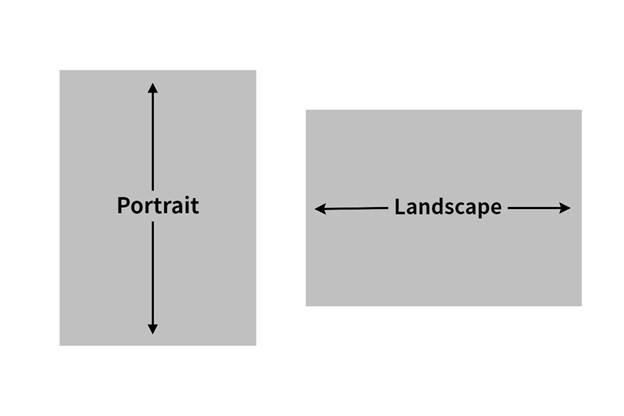
- Extra-wide tables or figures should be placed in landscape orientation (broadside).
The table number and title should be closest to the left margin AND the page number
should also be placed in landscape orientation.
- If supplementary tables and/or figures are placed in a separate appendix, please be
sure to reference this information in the text. For example: "Please see Table 1 in
Appendix A."
- Master's students may place tables and/or figures in the body of the text or in a
separate appendix UNLESS several tables and/or figures are listed together and interrupt
the flow of the text, then they MUST be placed in a separate appendix.
- Due to the required microfilming of all doctoral dissertations, tables and figures
MUST be incorporated within the text. Insert each table and/or figure as close as
possible after it has been referenced in the text.
5.4 Images
- All images (color or grayscale) included in your document must be clearly readable
both onscreen and when printed.
- The format embedded in the PDF version should be bitmaps, GIFs, or JPEG images.
- Large images, including maps, plates or charts, which require high resolution must
be included in the main document.
5.5 Mathematical Equations
- Equations should be centered in the text.
- Equation numbers (typed in either parentheses or brackets) must be aligned with the
right-hand margin.
5.6 Citations
All theses and dissertations must use the standard citation style guide for their
respective disciplines to cite their sources. Examples of these guises include, but
are not limited to, APA, ASA, MLA, Chicago, and Turabian styles. For some disciplines,
the accepted style guide is one of a particular journal.
In keeping with plagiarism guidelines, any and all ideas, words, images, etc. which
are obtained from another source MUST be cited according to a standard style guide.
Most style guides offer citation rules for the major types of source information:
books, journal articles, etc. If the style guide does not cover a particular type
of source, follow the standard format for the other types of sources. Always include
as much information about each source as possible so that the reader could find the
source again if need be.
5.6.1 Citation Generators
Citation software can be a great time-saver when working on a major project, but they
are not perfect. After your document has been completed and defended, proofread carefully
to insure that ALL citations are included in your bibliography/works cited/reference section. This must
be done BEFORE submission to the Graduate School.
5.6.2 Citing Electronic Sources
Some style guides have not caught up with the technology. For Internet and electronic
sources, use the following list as a guide when citing:
- The author's name (if known) or screen name/alias
- The full title of the document or webpage cited as a journal article
- The title of the complete work (the entire website)
- The name of the party responsible for the website
- Version or file numbers (if applicable or known)
- The date of the document's publication or last revision (if applicable or known--the
copyright date is sometimes acceptable)
- The full http address (URL)--some style manuals may require you to put the address
in brackets
- The date you most recently accessed the materials
After you have defended and made all corrections given to you at the time of your
final defense, the following items must be emailed to the following address using
your University of Memphis email account gsgraduateanalyst@memphis.edu. DO NOT UPLOAD THESE DOCUMENTS WITH YOUR THESIS OR DISSERTATION:
EXCEPTION: students in the Department of Architecture should email a PDF copy of their thesis
to gsgraduateanalyst@memphis.edu along with the following documents:
- A completed Final Committee Approval for Electronic Thesis or Dissertation Submission
form signed by ALL committee members. https://memphiscentral.etrieve.cloud/Index#/form/368
- A Thesis/Dissertation Defense form, if one has not been previously submitted by your
department. The form must have ALL signatures including the College Director of Graduate
Studies' signature.
A Thesis/Dissertation Defense form, if one has not been previously submitted by your
department. The form must have ALL signatures including the College director of Graduate
Studies' signature. https://memphiscentral.etrieve.cloud/index#/form/335 REMINDER: The Graduate School is required to have a Comprehensive Exam Results form for ALL
degree seeking students https://memphiscentral.etrieve.cloud/Index#/form/390. If you are a master's student and have not been administered a separate oral and/or
written comprehensive exam by your department, the oral defense of your thesis will
satisfy this requirement; therefore, this form must be submitted to Graduate School
by your department.
- A Thesis/Dissertation checklist. /gradschool/pdfs/forms/td_checklist2023.pdf. This checklist is NOT to be used as the only style guide for formatting purposes. It is to be used to ensure
that you have followed specific Graduate School requirements, in addition to what
is required in your style manual, refereed journal or any additional departmental
requirements. Both the student and major professor must check all applicable items
and sign the form.
- If you did not use the Chicago Manual of Style, APA, ASA, MLA, or Kate Turabian manuals
for formatting purposes, you must email a sample article from the refereed journal
and the journal's style guide or "Instructions to Author" to serve as a guideline
for formatting references and citations.
- A copy of the IRB or IACUC approval form or waiver, if human or animal subjects were
used for your research.
7.1 Embedding Document Fonts
All document fonts must be embedded. Embedding fonts simply means that your font information used to create your document
will always look the exact same way it does when stored in a PDF file. If your fonts
are not embedded, Adobe Acrobat will substitute fonts available on a reader's computer.
Any type of font substitution can result in significant differences between the original
document and what the reader sees. Fonts can be embedded when you convert from Word
to PDF. Embedding fonts will significantly increase your file size. When converting
Word documents to PDF, ensure that the "scale to fit" box is NOT selected as it creates
problems with the document's margins.
7.1.1 How to Embed Fonts Using Microsoft Word 2013:
- Create your manuscript using either Times New Roman or Ariel fonts.
- Click file tab at top-left corner.
- Selection Options from the menu bar.
- In the option window, click on the save tab on the left side.
- Scroll Down to the section “Preserve fidelity when sharing this document”
- Check the box next to embed fonts in the file.
- Click “OK” to apply your changes.
7.1.2 How to Embed Fonts Using Microsoft Word 2016:
- Click on the file tab in the top-left corner or the word document.
- Selection options
- Select the save tab from the left-hand menu
- Locate the section titles “Preserve fidelity when sharing this document”
- Check the box next to embed fonts in the file
- Click “OK” to apply the changes.
7.1.3 How to Embed Fonts in Earlier Versions of Microsoft Word:
- Create your manuscript using a TrueType font.
- On the Tools Menu, choose Options.
- Click the Save tab.
- Select the Embed TrueType Fonts check box.
- Save the document.
7.1.4 Using Microsoft Word on a Mac using Word 2011:
- Convert your document to PDF.
- Open the original PDF in the Preview application of your Mac.
- Select File: Print
- Click on the Preview button - a new document should be generated.
- Select File: Print again (you should be in the newly-created document when you do
this).
- Click the PDF button, and then select "Save as PDF" from the pop-up menu.
- Choose a filename and save the file; the file you just saves should have all of the
fonts embedded.
7.1.5 Using Microsoft Word on an Earlier Version:
- Microsoft Word for Mac does not have a feature that allows for embedding fonts. Consider
using OpenOffice (which embeds fonts automatically while converting to PDF) or using
a PC to embed fonts in your manuscript.
7.2 Instructions for Electronic Submission for Dissertations and Thesis
After all committee corrections have been made, embed document fonts, and convert
to a PDF file. Carefully review your document before submitting to the ProQuest site.
Watch this video demonstration of the submission process.
Do NOT assume that if the final Word document looks fine, the PDF will look fine. In particular,
may close attention to charts, graphs, tables, equations, special accent marks, and
any graphics you imported into your Word document. If something looks incorrect, re-convert
your document again to PDF. There should be no difficulty including accent marks or
special characters in your abstract as long as they are the basic ASCI character set
(numbers 0-9, upper and lowercase letters A-Z, and typical English punctuation).
- If you decide to use Adobe Acrobat Professional to convert your document instead of
using Word, include bookmarks for all preliminary pages, for the first page of each
new chapter, and for the first page of the bibliography or reference section and any
appendices.
Log into the UofM ProQuest site at: http://www.etdadmin.com/memphis
- Click "sign up and get started today!" link at the bottom of the page
- Create a new student account by entering your email address, a password, and your
first and last name
- You MUST use your UofM e-mail account during the electronic process.
- Click create.
- You will receive an email from ProQuest to confirm your account. Click the link in
the email.
- Read the instructions and click continue at the bottom of the page.
- ProQuest will guide you through all the information you need to fill out and how to
submit your thesis or dissertation
- Please use upper and lowercase letters when entering your title
The Graduate School Graduation Analyst will review your document and send any changes
that need to be made by e-mail. Make these changes to the original version of your
Word document. Convert once again to PDF format, connect to the ProQuest site using
the same link from above, and click "Create or continue with submission." You should
see your submission listed under "My Dissertation/Theses List." Click "continue submission"
and then the PDF link on the left hand side. You can edit any of your contact information
and/or thesis/dissertation details if you wish. Upload your new PDF and click "save
and continue." The Graduate School Graduation Analyst will be notified that you have
uploaded a new document and will review your document again. You will receive e-mail
notification when your document has been approved by the Graduation Analyst. Your
document on ProQuest will be available for public viewing once it has been delivered
to ProQuest, depending on your requested access level (see next section).
7.2.1 Access Restrictions and Embargoes
What is an embargo?
When you submit your dissertation or thesis electronically through ProQuest you sign
a ProQuest Dissertation Publishing Agreement. Authors grant ProQuest a non-exclusive license to preserve, archive, distribute,
and publish their dissertations through the ProQuest Dissertations & Theses (PQDT)
database. ProQuest may also make the abstract, metadata, and, depending on the author's
publishing and embargo selections, the full text available through its products and
distribution channels.
The university's Digital Commons (or other institutional repository) is a separate
dissemination platform managed by the university. It also provides access to your
dissertation.
An embargo temporarily delays public access to your dissertation or thesis. During the embargo
period, the full text of your work is not publicly available through Digital Commons.
The length of the embargo is selected when you submit your work.
Why might you choose an embargo?
There are several reasons a student may want to delay public access to a dissertation
or thesis. For example:
- You plan to publish articles, a book, or other scholarly work based on your dissertation
or thesis and want to protect the opportunity to publish the research first.
- Your discipline or a particular journal or publisher expects the research to beoriginal and not previously publicly available. Making your dissertation publicly accessible can, in some fields, be considered
prior publication or may affect a publisher’s willingness to accept work derived from
the dissertation.
- Your dissertation contains research, data, methods, or other material that you or
your research team intend to develop into future publications or intellectual property.
- You have other legitimate reasons for wanting to delay public access to the full text.
What are the consequences of not choosing an embargo?
If you do not embargo your dissertation or thesis, the full text will become publicly available through
Digital Commons. This can increase the visibility and accessibility of your research,
but it also means that your work can be found, read, cited, and downloaded by anyone.
For students in disciplines where dissertations are commonly developed into journal
articles or books, carefully consider the publication expectations of your discipline, your advisor,
and your intended journals or publishers before choosing not to embargo your work. Some publishers have policies concerning dissertations that have already been made
publicly available, while others do not. Policies can vary substantially by discipline
and publisher.
An embargo does not prevent you from publishing your work. Rather, it provides a period of time during
which the full text is not publicly accessible while you pursue publication or other
scholarly uses of your research.
Before you make your choice
Talk with your dissertation or thesis advisor and, when appropriate, check the policies
of the journals or publishers where you expect to submit work based on your research.
The decision to embargo is ultimately yours, but you should understand the publication
and scholarly implications before making your selection.
If you are unsure whether an embargo is appropriate for your field or your particular
research, ask your advisor before submitting your dissertation or thesis.
7.2.2 ProQuest Thesis/Dissertation Non-Exclusive Publishing Agreement
ProQuest (formerly University Microfilms International, Inc.) microfilms all doctoral
dissertations and master thesis, which can then be distributed in whole or in part.
After your manuscript has been delivered to ProQuest, your work will become available
through the ProQuest dissertation database. Your doccument will be available for public
view within 8 to 10 weeks of receipt of the document. Your document is microfilmed
exactly as it is submitted to ProQuest. The abstract (350 words or less) will appear
in ProQuest's monthly publication, Dissertation Abstracts International (DAI).
7.3 Survey of Earned Doctorates
The basic purpose of this survey is to gather objective data about doctoral graduates.
These data are important in improving graduate education by providing governmental
and private agencies with the information necessary to make program and policy decisions.
Once your dissertation has been approved, please go to: https://sed-ncses.org and complete the on-line survey. Send confirmation of completion to gsgraduateanalyst@memphis.edu.
The information provided on the survey questionnaire remains confidential and is safeguarded
in accordance with the Federal Educational Rights and Privacy Act of 1974 (FERPA).
The survey data are reported only in aggregate form or in a manner that does not identify
information about any individual.
Students who wish to have bound copies of their Thesis or Dissertation may contact:
J & K Bindery
4602 Quince Road
Memphis, TN 38117
Phone: 901.685.0446